JavaScript scripting
Import, organise and run trusted scripts from your local library. View source, keep favourites and stop the foreground script from the client.
Explore scripting
HEX / SKYRIM MULTIPLAYER
Your scripts. Your utilities. Your session.
HEX is a Skyrim multiplayer utility client and JavaScript script executor for Windows. Run trusted scripts, inspect game records and keep your tools together in one desktop.
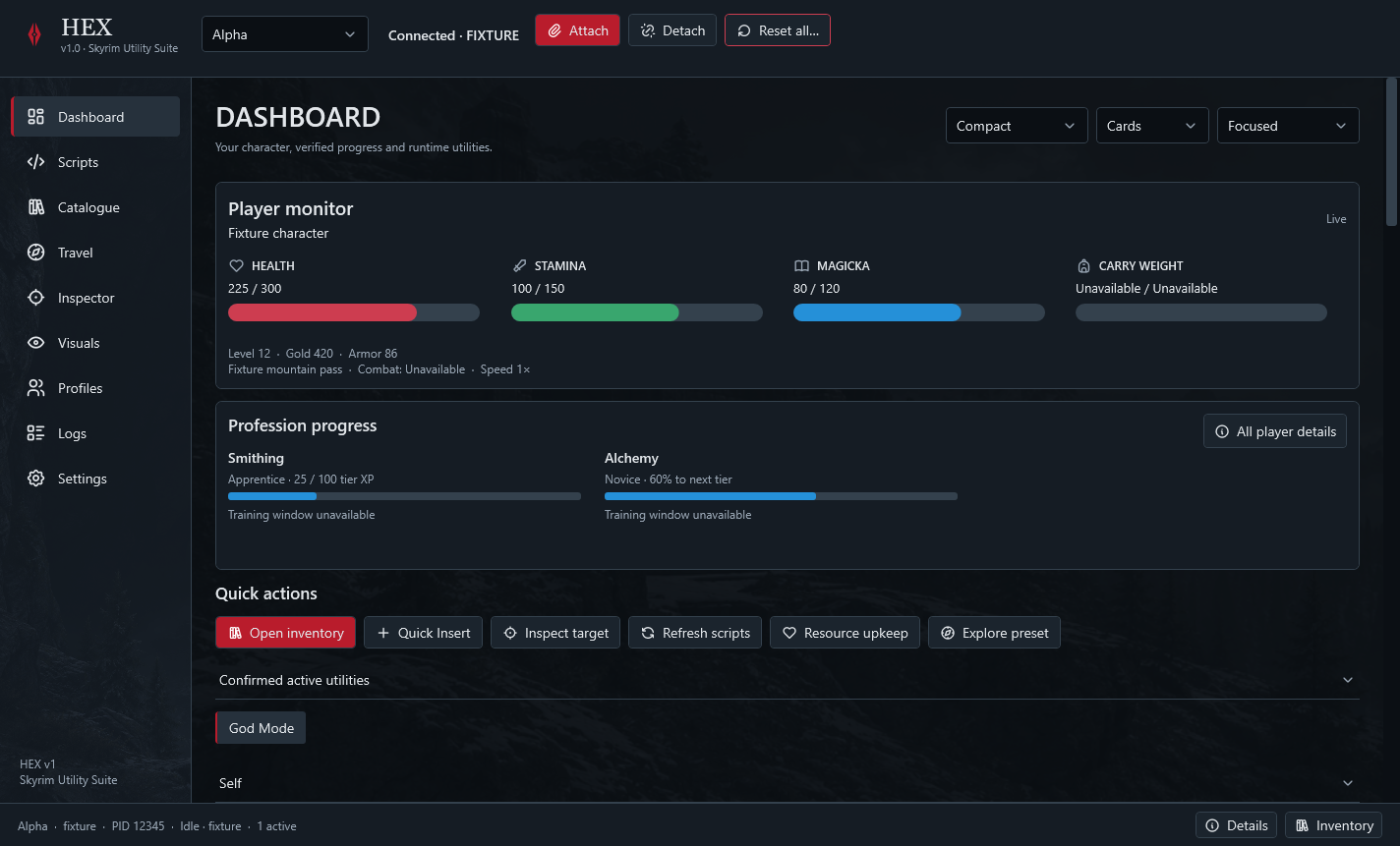
ONE CLIENT. YOUR SKYRIM TOOLSET.
From your script library to the quick menu, HEX keeps the tools you use within reach. Every pass unlocks the same paid product.
Import, organise and run trusted scripts from your local library. View source, keep favourites and stop the foreground script from the client.
Explore scriptingAccess supported resource, movement, inventory and automation tools. Manage active utilities alongside your scripts and reset them when you finish.
Browse local game records and inspect available runtime information. Find the records and details you need before you act.
Keep preferences and profiles together. Use Quick Insert to reach scripts, utilities and supported tools without hunting through desktop windows.
Available actions depend on your installed runtime and multiplayer environment. Read compatibility requirements ↗
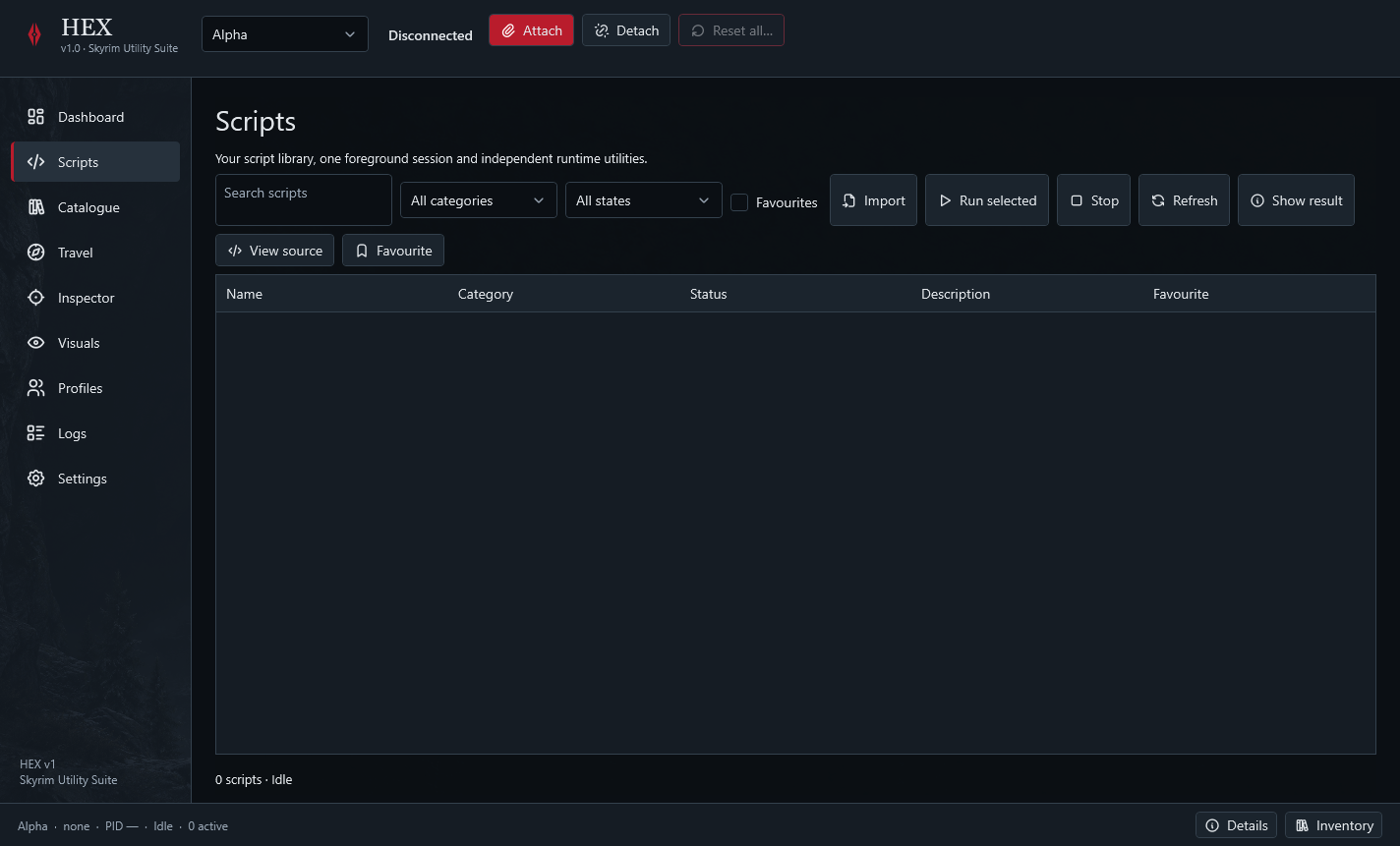
02 / SCRIPTING
HEX brings script execution into the same workspace as your Skyrim utilities, profiles and inspection tools.
03 / ACCESS PASSES
One activated device. Your term starts at first online activation. No automatic renewal.
1 PC · No auto-renewal
1 PC · No auto-renewal
1 PC · No auto-renewal
1 PC · No auto-renewal
1 PC · No auto-renewal
All features included. Pass terms & activation details ↗
04 / COMPATIBILITY
HEX is built for a supported Skyrim runtime on Windows. Check your game, runtime and multiplayer environment before choosing a pass.
Full compatibility details05 / GETTING STARTED
Sign in or create an account, then choose your pass and complete checkout.
Your account keeps your license key and eligible HEX downloads together.
Enter your key in Settings → License and activation. Your paid time begins with the first successful online activation.
HELP & RECOVERY
HEX is a Windows utility client and JavaScript script executor for Skyrim multiplayer. It brings a local script library, runtime utilities, catalogue browsing, inspection and profiles into one desktop interface.
Compatibility depends on the installed runtime, client version and server. Server rules and permissions also vary. The reference environment is listed on the compatibility page; universal support or server endorsement is not claimed.
Your time starts when you first activate your key online. It then runs continuously. There is no automatic renewal. Read the pass terms ↗
A reinstall or device transfer retains the existing paid expiry. Sign in to your account and request device recovery. A reviewed activation reset allows you to move the existing license; it does not create a fresh paid term.
Internet access is required to activate and periodically confirm your license. Online and offline access details ↗
No. Every access pass unlocks the full paid HEX client.
The paid workspace locks. Your own files remain available, and you can add time through your account.
Keep full license keys and tokens out of public support posts. Share a redacted error report.
HEX ACCOUNT
Sign in to view your purchases and request recovery.
Sign in Create account Back to HEX